







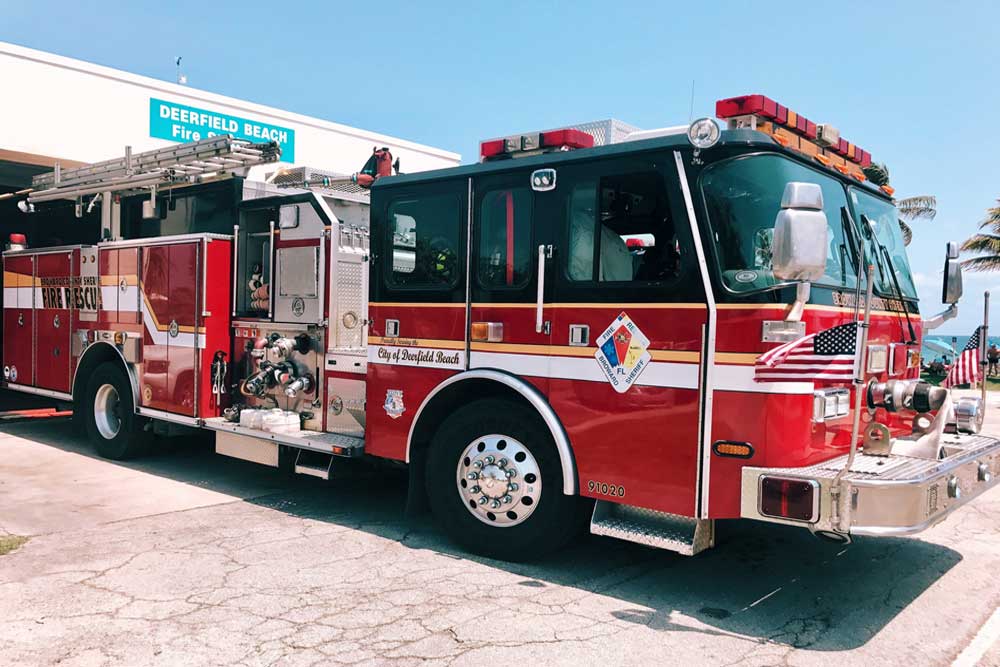
A new engine rolls into the station looking sharp, but somehow out of place next to the rest of the fleet. Maybe the red is a shade off. Maybe the chevron pattern on the back doesn’t match the trucks parked beside it.
Many departments are faced with this problem, and it doesn’t tend to be any one person’s fault. Usually, what happens is apparatus get ordered years apart, from different manufacturers, with different vendors handling the graphics. Without a plan for matching new apparatus to what’s already on the road, a fleet that should look unified ends up looking like a patchwork instead.
Below, we’ll walk you through what to check before a new fire truck goes into design. We’ll also cover how to keep colors and materials consistent, and where departments most often lose that consistency without realizing it.
Consistency in Fire Truck Graphics
Fleet consistency with fire truck graphics is about more than appearance. Your apparatus are some of the most visible assets the department owns, and people naturally notice when they don’t match. Keeping the graphics consistent presents a professional image and gives taxpayers and decision-makers confidence that the department pays attention to the details.
It can also make a difference on the road. When reflective materials, chevrons, or striping aren’t consistent across the fleet, drivers approaching from behind may see each apparatus a little differently, especially after dark or during roadside incidents.
Yes, consistency looks good on paper, but it also plays a fundamental role in how quickly the public recognizes and reacts to your vehicles.
Start With What You Already Have
Before any new design gets approved, pull together the reference materials from the current fleet. This step gets skipped more than any other, and it’s the one that causes the most headaches later.
Pull the Original Specs
Any apparatus that came with a striping or graphics package should have a spec sheet somewhere. You might find that in a folder at the station, a file with the original vendor, or in an old email chain from the purchase.
Use this to track down the exact color codes, material types, and pattern measurements used on the current trucks. If nobody kept the original file, most established graphics vendors keep production records for years after the job and can pull the specs from their own archive.
Photograph the Current Fleet
Specs on paper don’t always match what’s actually on the vehicle after a few years of sun exposure and washing. Take clear, well-lit photos of the current apparatus (front, both sides, and rear) and send them along with the specs. A vendor comparing photos side by side with a spec sheet has a much better shot at catching a mismatch before production than one working from paperwork alone.
Know the NFPA 1901 Baseline Before You Design Anything
NFPA 1901 sets the floor for reflective striping on fire apparatus, and any new design needs to meet it regardless of how it’s styled.
At minimum, at least 50% of the rear-facing vertical surfaces need retroreflective chevron striping, sloped at 45 degrees away from the vehicle’s centerline, alternating between red and yellow in 6-inch stripes. Side striping needs to cover at least 50% of the cab and body length per side, and the front needs striping covering at least 25% of its width. The material has to meet Type I reflectivity (engineer grade) or better.
None of this is a design decision, but rather, a requirement. What is a design decision is how the department applies the standard within those minimums, and that’s exactly where consistency across a fleet gets built or lost. If one apparatus uses engineer-grade material and the next uses diamond grade, they’ll reflect light differently at night even if the pattern looks identical during the day.
Working With a Vendor to Match Colors and Materials
Color Matching Isn’t Guesswork
Fire engine red isn’t one universal color. Manufacturers and vendors work from Pantone references, and even within Pantone, there’s room for interpretation depending on the substrate (vinyl, paint, powder coat) the color sits on.
Ask your vendor to match against a physical sample from the current fleet rather than a photo or a general description like “fire engine red.” With a physical swatch pulled from an existing truck, you can give a print shop something exact to calibrate against.
Material Grade Matters as Much as Color
Reflective materials aren’t all the same. Options like engineer grade, high intensity, and diamond grade each reflect light differently. If your newest engine uses diamond grade but the rest of the fleet still has engineer grade, everything may look matched during the day, but the differences become obvious once headlights hit the trucks at night.
If a full retrofit of the older fleet isn’t in the budget this year, at least document the discrepancy so it gets addressed at the next scheduled repaint or replacement.
4 Common Mistakes Departments Make When Adding to a Fleet
You’ll tend to notice that a few issues come up again and again:
- Ordering from a new vendor without sending them a sample or spec sheet from the existing fleet, and assuming “close enough” will pass inspection by eye.
- Approving a design based on a digital rendering alone. Screen colors and printed colors don’t always match, and a rendering can look correct on a monitor while the physical print comes out noticeably different.
- Skipping the walk-around comparison once the new apparatus arrives. Park it next to the rest of the fleet before it goes into service and look at it in daylight and under station lighting.
- Letting different divisions within the same municipality (fire, EMS, rescue) use graphics packages that don’t relate to one another, even when the vehicles respond to the same calls and the public expects them to look connected.
A Checklist to Follow Before You Approve a New Design
Before signing off on graphics for a new apparatus, confirm the following:
- Color codes match a physical sample from the existing fleet, not just a photo or description.
- Reflective material grade matches the current fleet, or any upgrade is a documented, intentional decision.
- Chevron and striping measurements meet NFPA 1901 minimums.
- Department shields, unit numbers, and lettering fonts match what’s already in use.
- The vendor has current photos of the fleet on file (as opposed to just having old spec sheets).
A Fleet That Looks Like One Department
None of the steps we’ve covered above take long once it becomes part of the ordering process. The departments that end up with mismatched trucks are usually the ones that treated graphics as an afterthought tacked onto the end of a purchase order, rather than a step that gets the same attention as the rest of the apparatus spec.
Build the comparison step into every new vehicle order, keep records after every job, and a fleet built over ten years and three vendors can still look like it rolled out of the same shop on the same day.
To speak with the best of the best in the emergency vehicles graphic design world, contact Graphic Designs International.